My Work-From-Home Desk Setup (34-inch Curved Monitor, Split Keyboard, Trackball)
Introduction
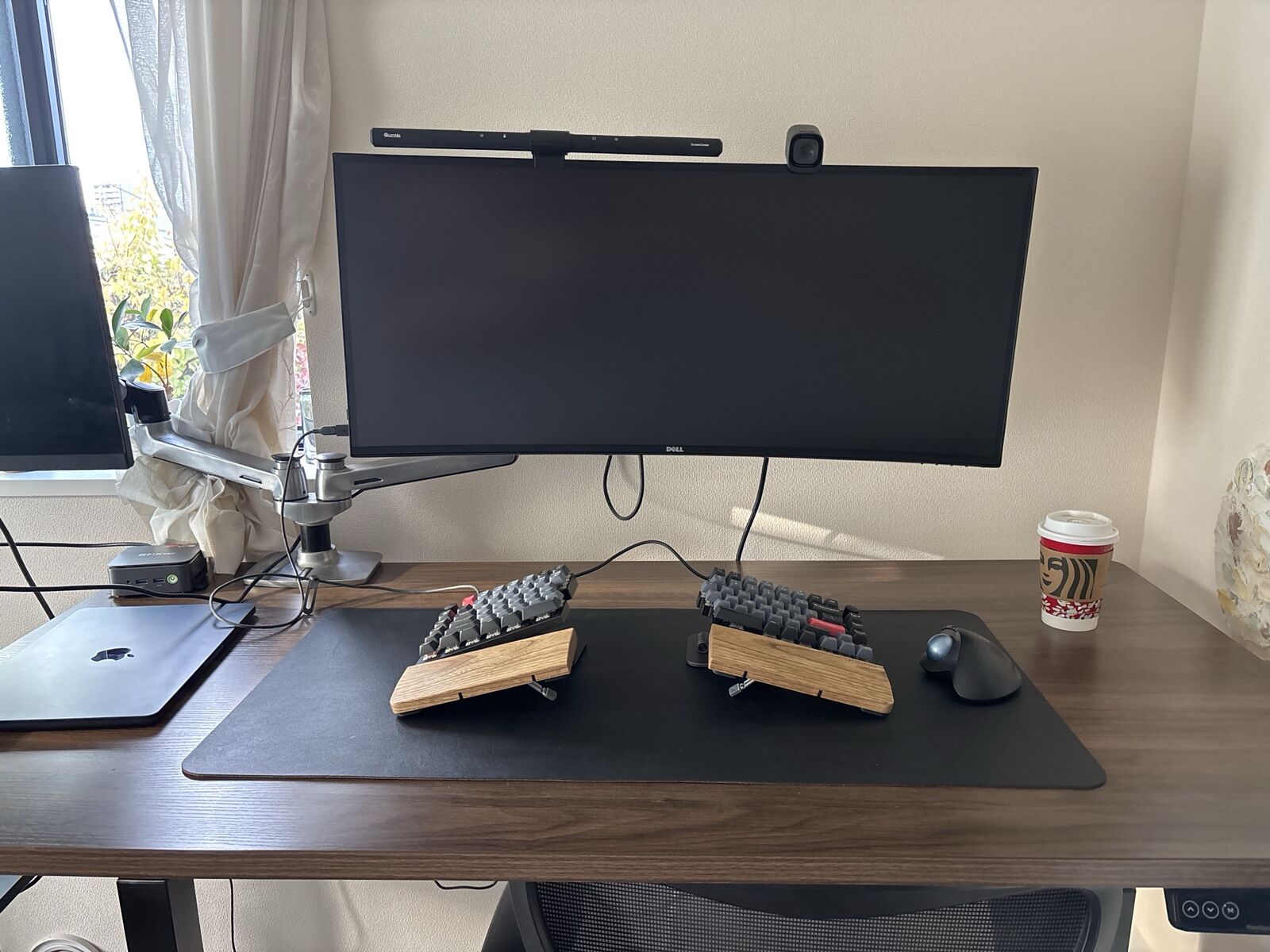
This post is a tour of my desk. I work from home four days a week, and on weekends I sit at the same desk for a side job. If you’re figuring out your own workspace, I hope it helps.
The Gear
Monitor
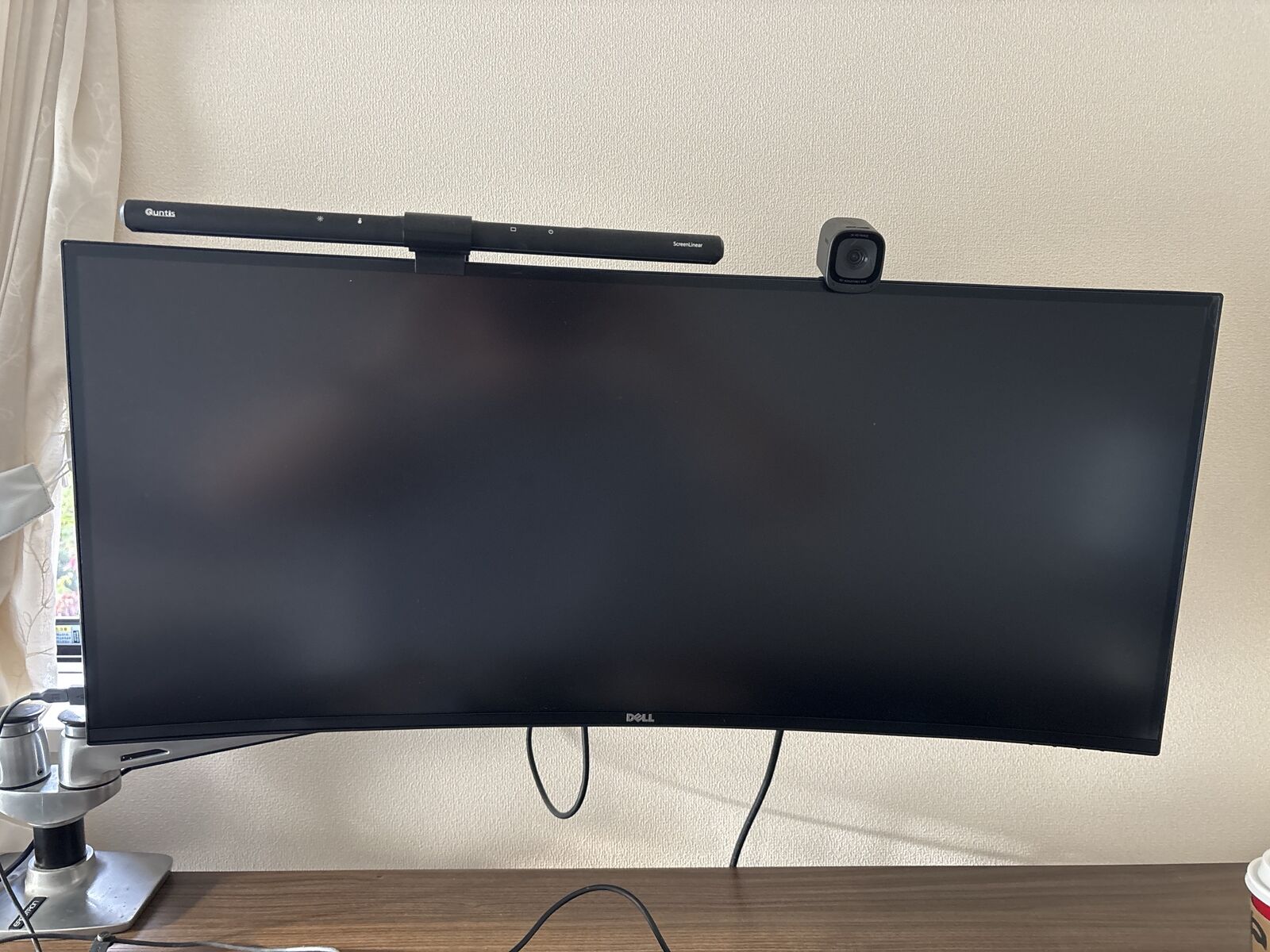
My main monitor is Dell’s 34.1-inch curved U3419W. It’s a 3440×1440 ultrawide, and a single USB Type-C cable connects it to my MacBook Air.
With an ultrawide, I keep a browser on the left half of the screen and a terminal on the right. I can see both without switching windows, which makes work a lot easier. The picture quality is great too, and I’m very happy with it.
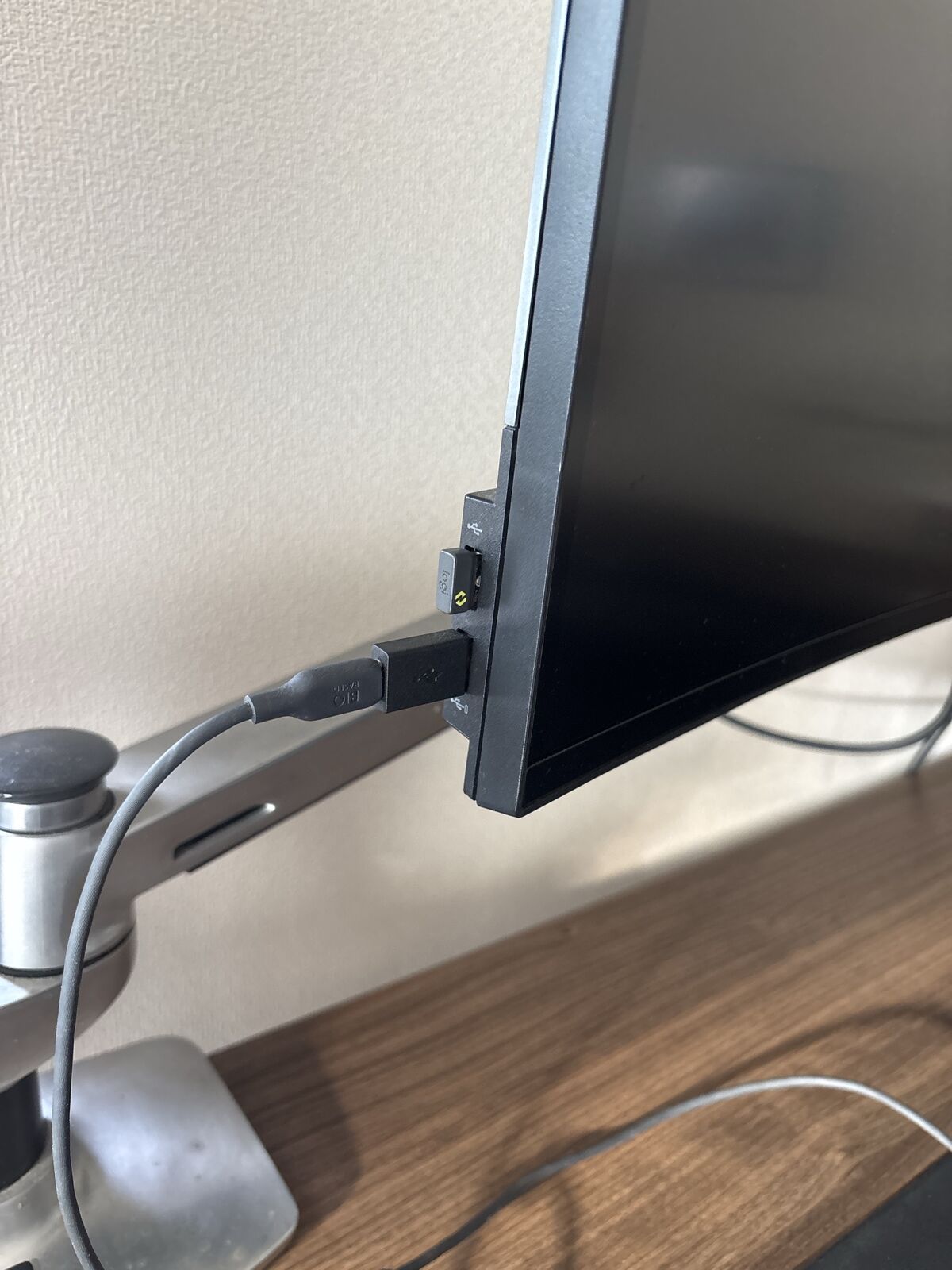
I also like how many USB ports it has. The USB-A ports on the side work for charging my phone or plugging in a keyboard, and the trackball’s wireless receiver lives there too. There are more USB ports on the back, so plugging the MacBook Air into the monitor over USB-C connects the camera, keyboard and trackball all at once. There’s only one cable to plug and unplug.
Monitor Arm
The monitor floats on Ergotron’s LX Dual Monitor Arm, which holds both it and the monitor on the left on a single pole. The left monitor belongs to my wife, who works at the desk next to mine.
Because the arm holds the monitors up, there are no stand feet on the desk, so I get to use the whole surface. It also keeps the desk from looking cluttered.
Monitor Light
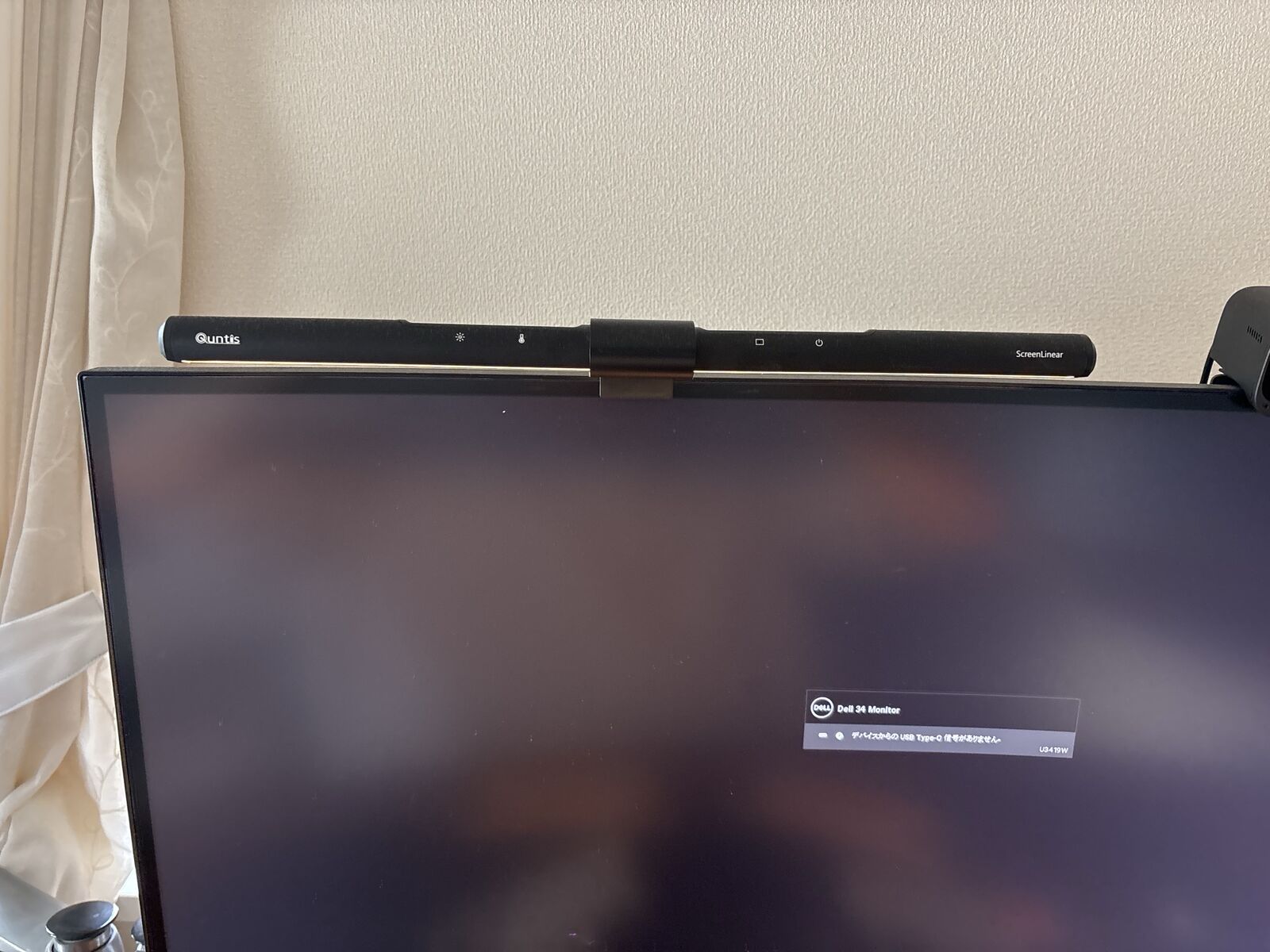
On top of the monitor sits a Quntis ScreenLinear monitor light. The touch buttons on top change the brightness and color temperature.
I didn’t note the model number, but the touch buttons are laid out the same way as Quntis’s L205: brightness and color temperature on the left, auto-dimming and power on the right.
My eyes don’t get tired even when I work late at night. With the room lights off and only this light on, the desk looks pretty cool too.
Webcam
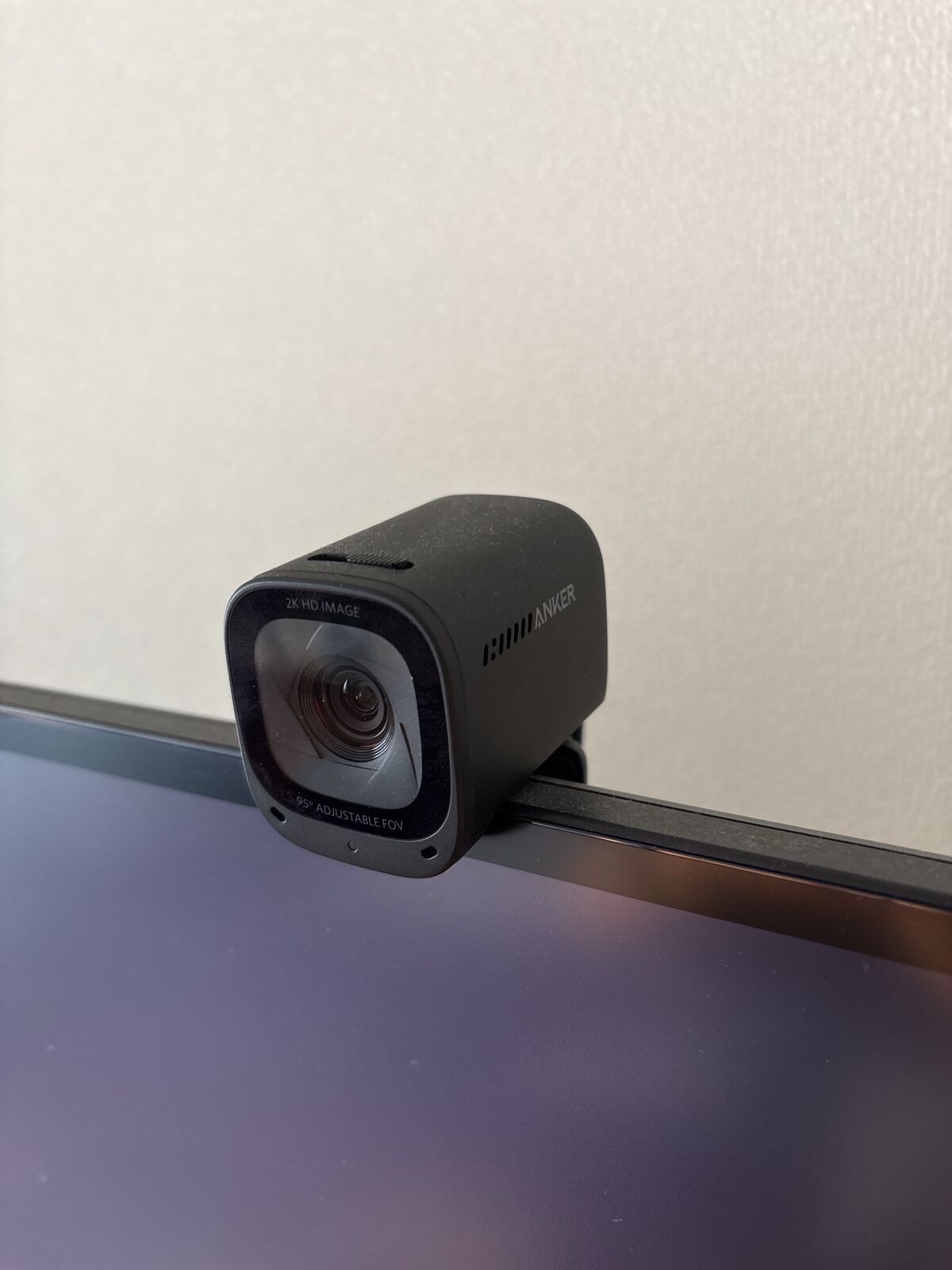
For video calls I use Anker’s PowerConf C200. It records in 2K, and as printed around the lens, the field of view adjusts up to 95 degrees.
With the MacBook Air sitting on the desk, its built-in camera films me from below. I didn’t like that, so I bought this one to mount on top of the monitor.
Keyboard
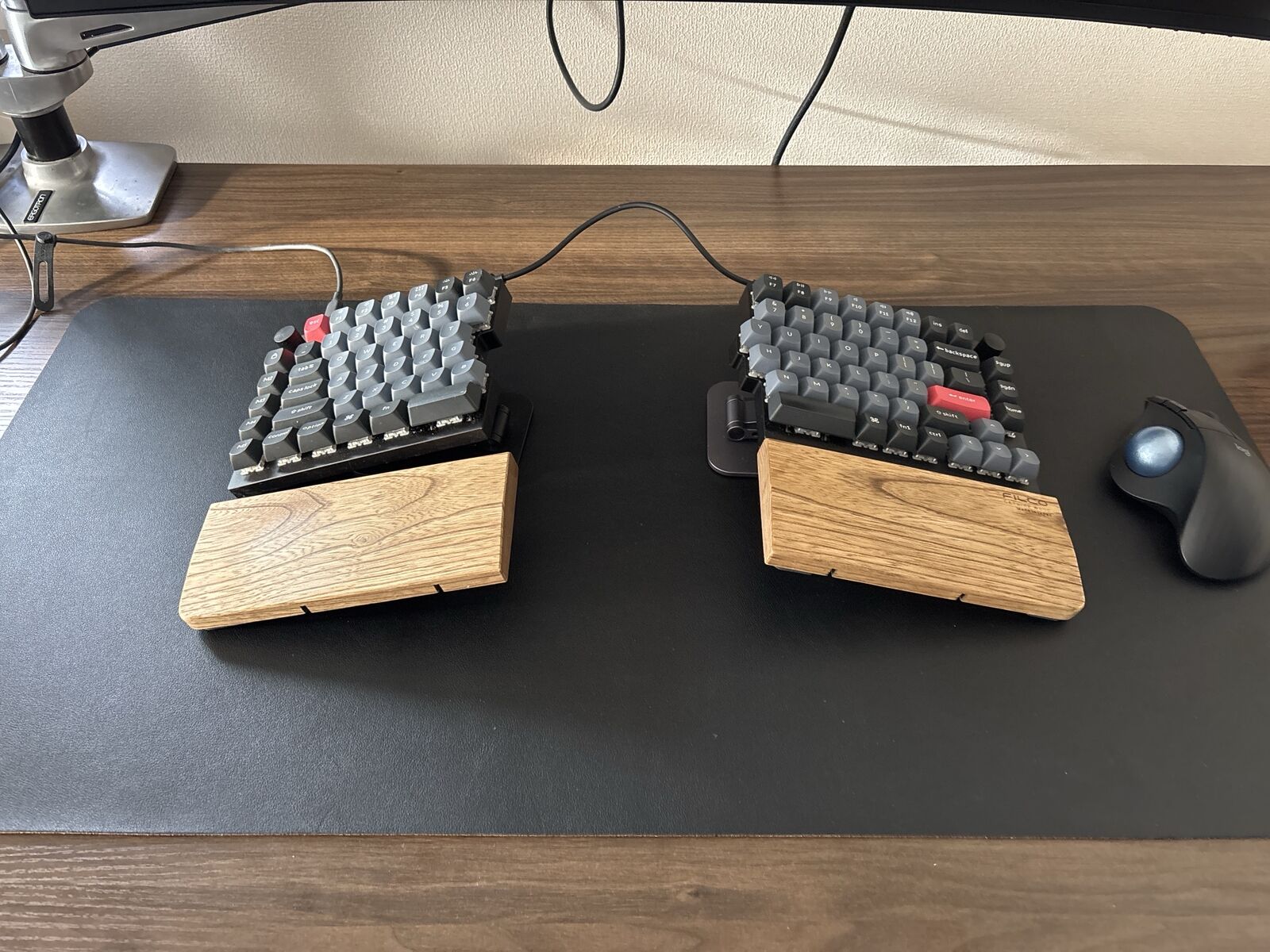
My keyboard is Keychron’s split Q11. It’s a 75% layout split into left and right halves, with a knob and macro keys (M1–M5) on the left side.
I switched to a split keyboard because my shoulder stiffness was bad and I wanted to ease it. On a regular keyboard both hands come together in the middle, so my shoulders rolled inward and felt cramped. With the halves placed shoulder-width apart, I can type with my shoulders open. It felt strange at first, but after about two weeks I was mostly used to it.
I’ve customized it a bit. Caps Lock is remapped to Ctrl. I also swapped in lighter key switches: red switches on the outer keys and brown switches on the keys I type most.
Wrist Rest
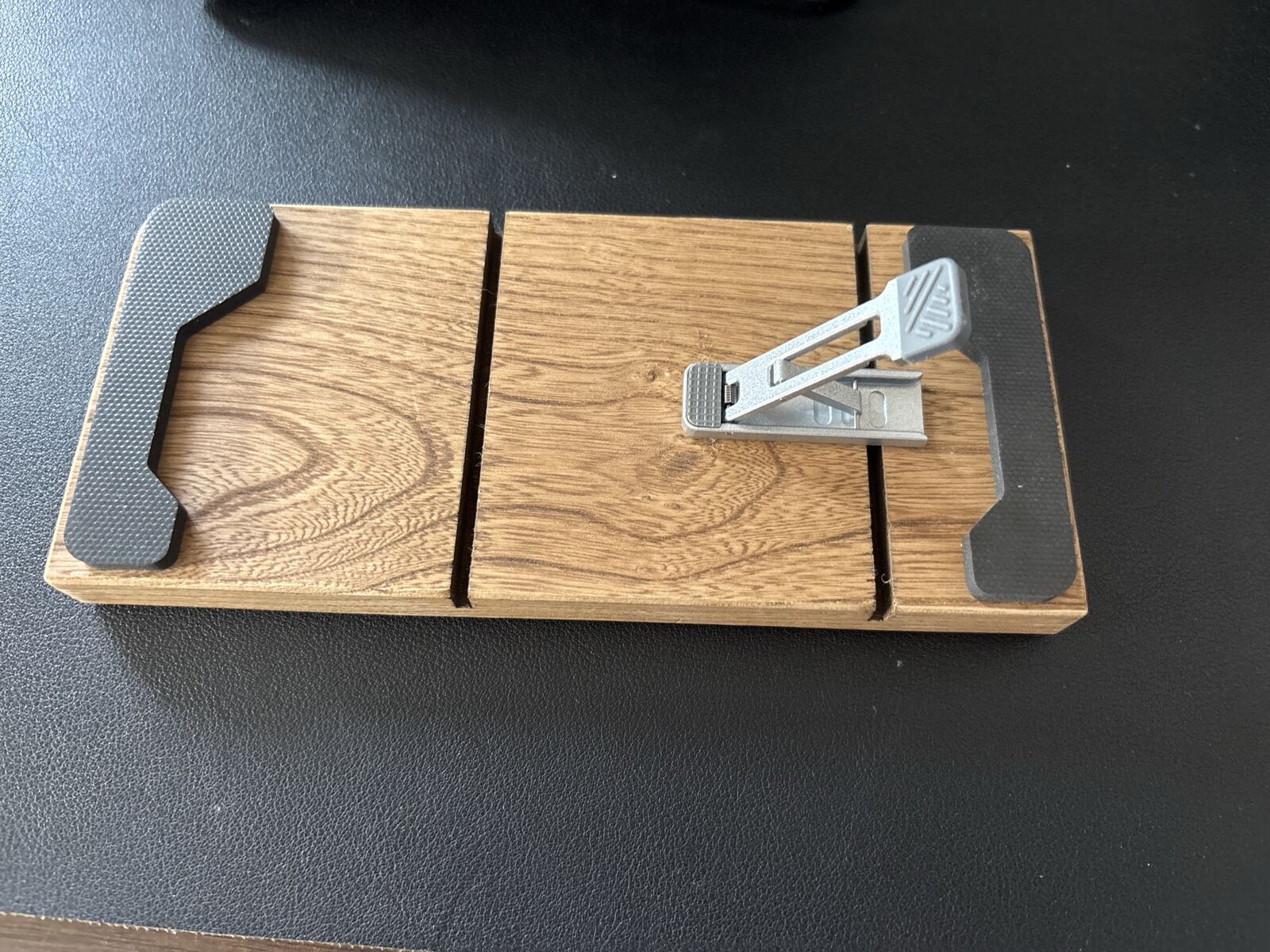
In front of each half is a FILCO wooden wrist rest.
This photo shows a wrist rest turned upside down. I stuck a metal laptop stand, the kind you attach to the bottom of a laptop to tilt it, onto the back so the wrist rest is angled too. It was a cheap one from a 100-yen shop or Amazon, but it works surprisingly well.
Trackball
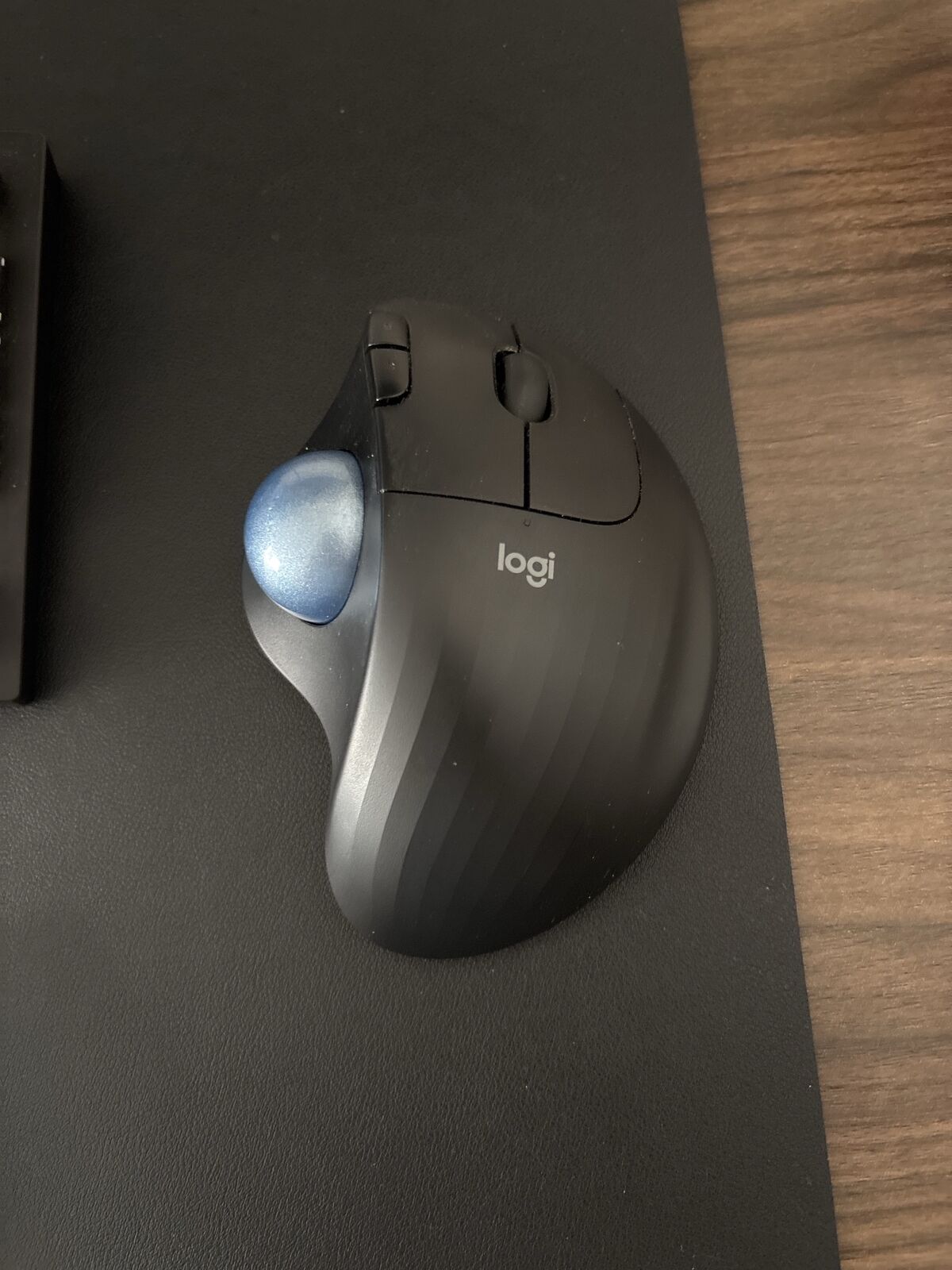
Instead of a mouse, I use Logitech’s thumb-operated trackball, the ERGO M575.
I’ve used trackballs for years. I can move the cursor without moving my wrist, which is easier on me, and since it doesn’t need room to slide around like a mouse, the desk stays tidy.
The one thing to watch is cleaning. My hands sweat a lot, so grime builds up around the ball quickly and it stops rolling smoothly. I have to clean it every week to keep up, so if you use one, clean it regularly.
Keyboard Stand
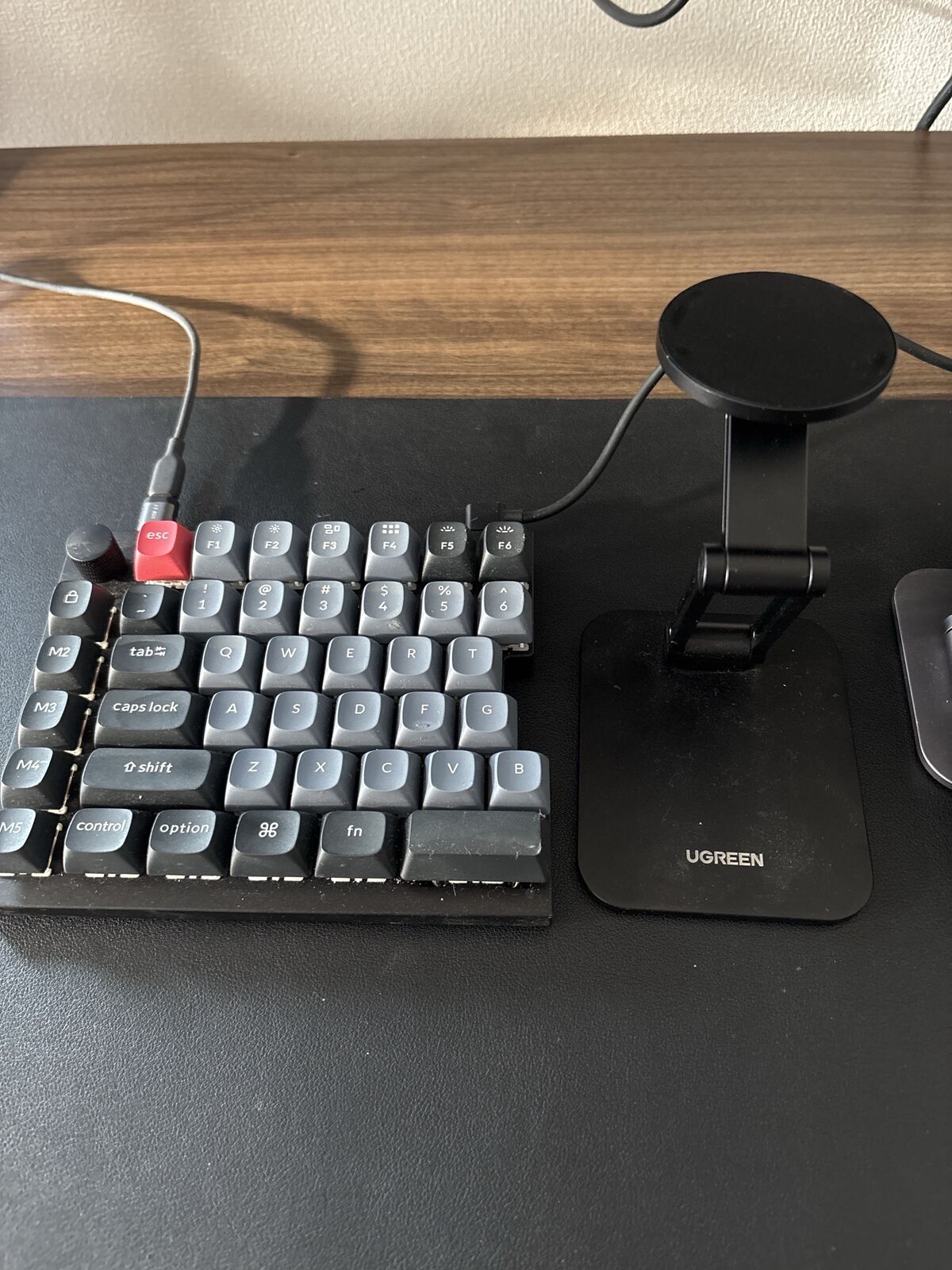
To tilt the keyboard, I use UGREEN MagSafe stands. They’re meant for phones, but I don’t use them that way: one is attached to the bottom of each half of the Keychron Q11. In this photo, I set one next to the keyboard so you can see its shape.
Desk
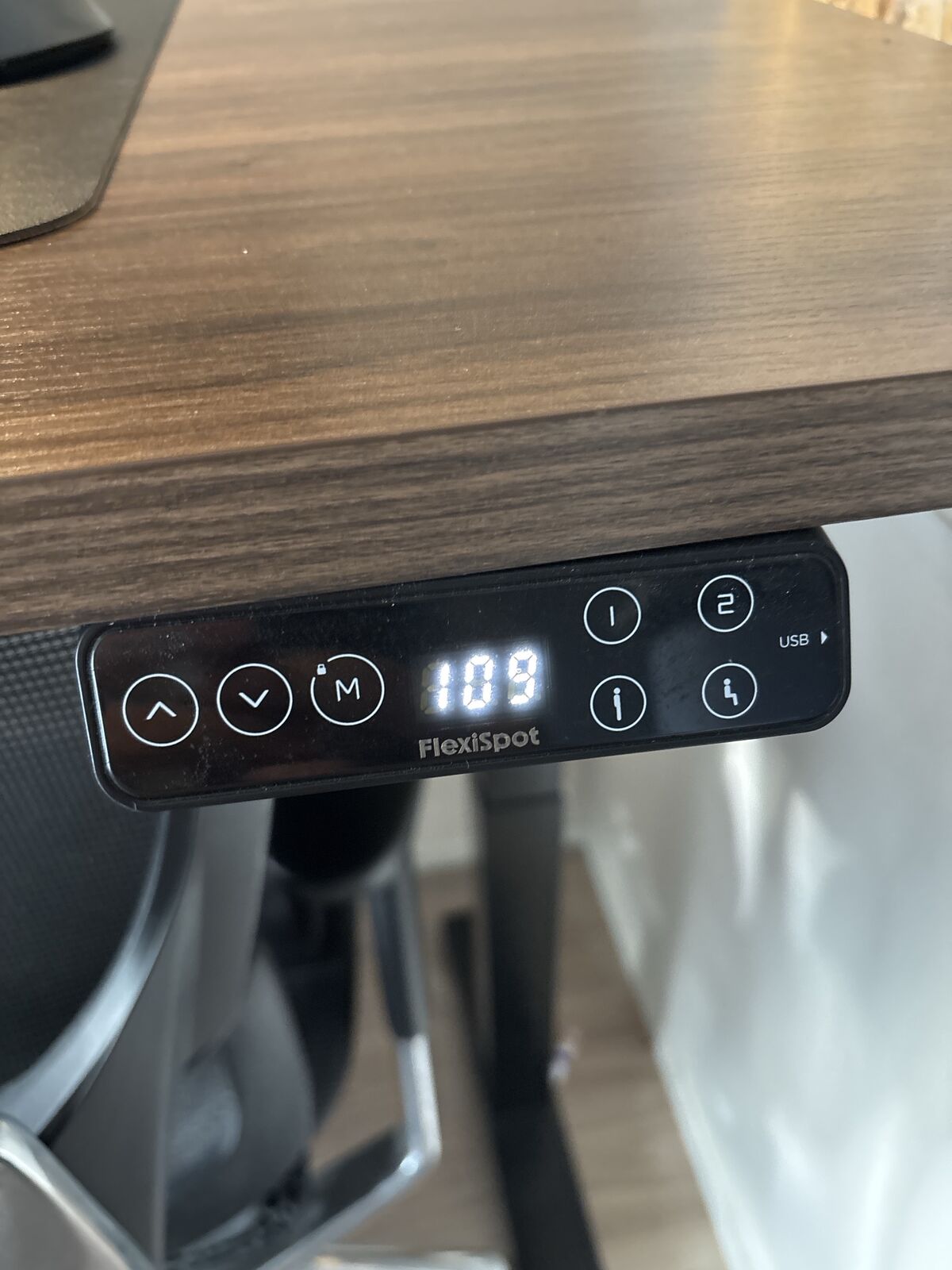
The desk is a FlexiSpot E7 Pro electric standing desk. I bought it when I started my first job and still use it every day; I can’t imagine using anything else. The control panel stores up to four heights, and in this photo it’s raised to 109 cm.
I try to work standing for about an hour every day, because sitting all day makes my thighs swell badly. When I get sleepy, I also stand up to wake myself up.
Computer
My computer is a 13-inch MacBook Air (M2, 24GB memory, 1TB SSD), connected to the U3419W. It’s the next thing I want to replace: I plan to upgrade once an M6 MacBook Air comes out.
Wrapping Up
I have a lot of gadgets, but I set up my desk so it still looks clean. What I’m going for is a space as tidy and focused as a coworking space. See you next time.